Product Updates

Follow new updates and improvements to Orizon Analytics.

February 3rd, 2026

New

Improved

Introducing Orizon Echo AI

We are excited to share our latest updates, designed to give you more control, better clarity, and a smarter way to interact with your investment data.


Orizon Echo AI Agent

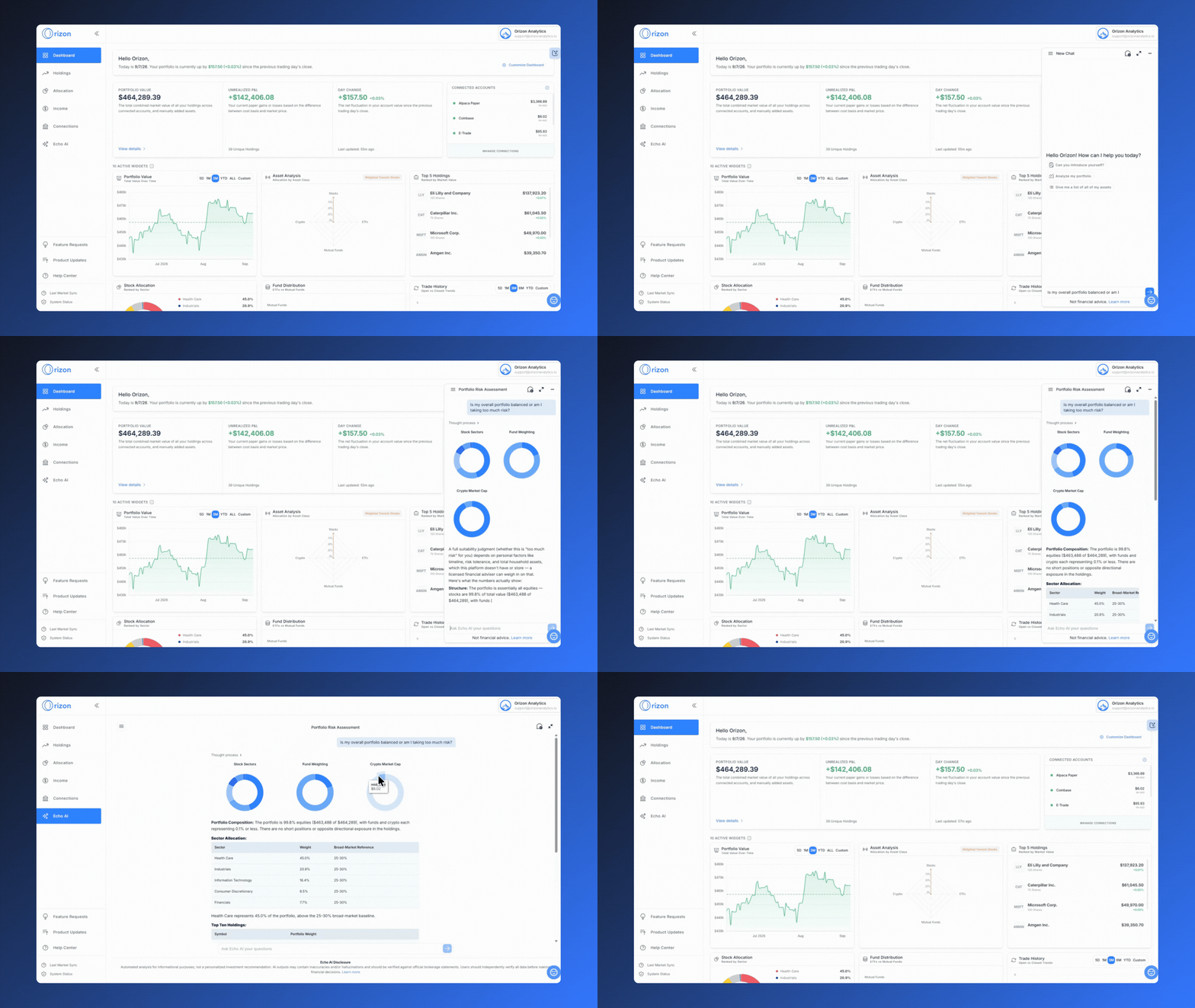
What: We are introducing the Orizon Echo AI Agent, a conversational assistant powered by the Anthropic Claude LLM that integrates directly with your Orizon portfolio data. It allows you to ask natural language questions about your holdings, trade history, and dividend data.

Why: To bridge the gap between complex datasets and rapid insight retrieval. While our charts and tables remain essential for high-precision deep dives, Echo AI allows you to talk with your data to get instant answers to questions like, "What was my top-performing sector this quarter?" or "How much dividend income did I receive last year?" It is a descriptive, fact-based tool designed to complement our visual reports with conversational speed.

Note: Echo AI uses secure, read-only authentication. It is an analytical assistant, not a prediction model.

A Note on AI Transparency & Safety

As we integrate AI into your financial workflow, your security and data integrity remain our top priorities.

  • Fiduciary Oversight: Orizon Analytics maintains strict oversight of the data provided via Echo AI. However, we encourage you to verify AI-generated insights against your primary Orizon charts and official statements.

  • Hallucination Risk: While we have implemented technical safeguards, AI technology can occasionally produce errors. Providing detailed, specific prompts helps ensure the highest level of accuracy for your analysis.

  • Analytical Tool: Echo AI does not provide legal, tax, or accounting advice. It is here to help you understand the "what" and "how" of your current performance.


Improvements πŸ› 

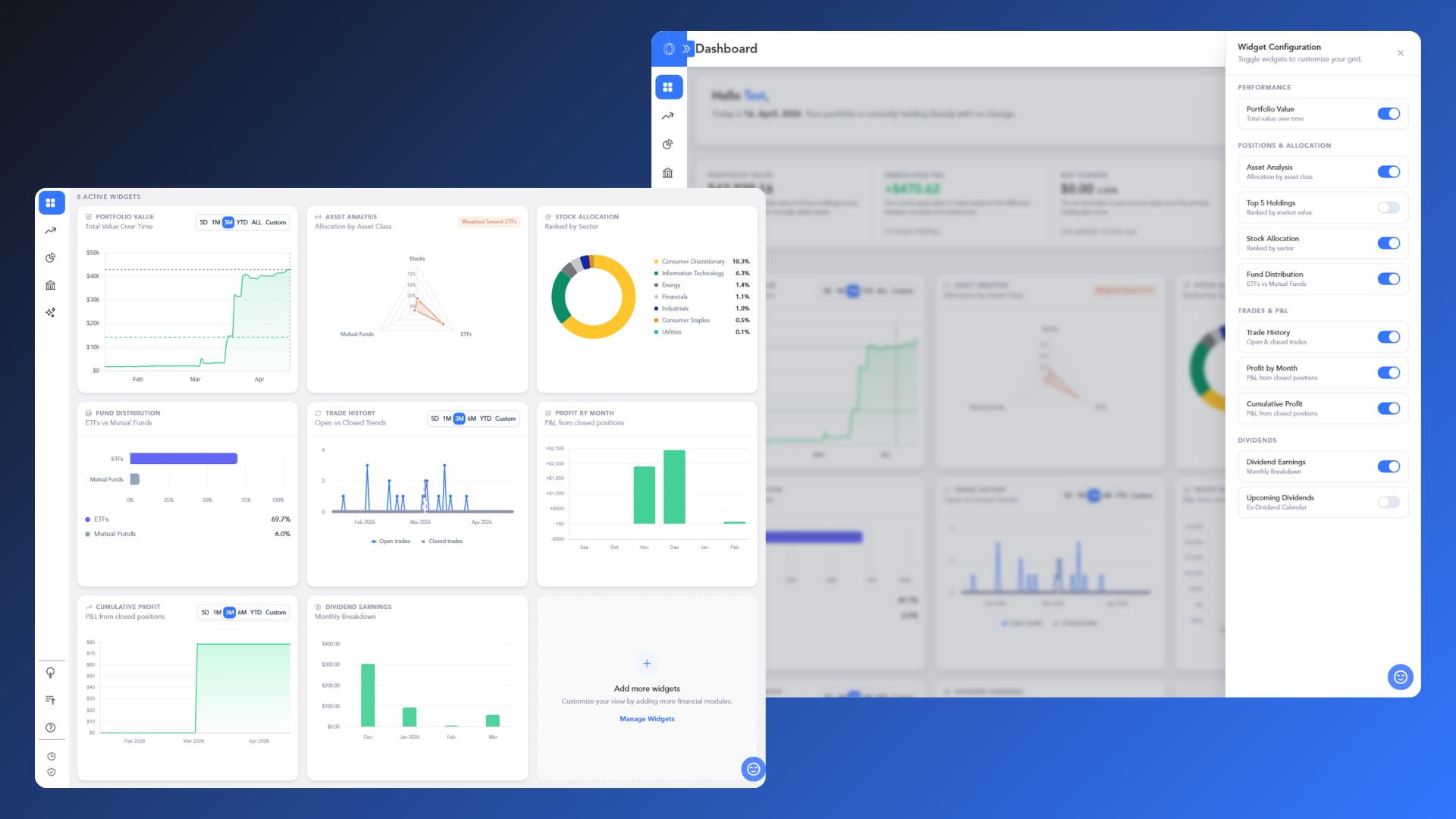
Dashboard Streamlining

What: we have streamlined the data presentation on the main Dashboard to provide a cleaner, more focused overview of your portfolio.

Why: To reduce visual noise and ensure that your most critical performance metrics are the first thing you see. This update is the first step in a series of planned enhancements to make your landing experience more intuitive and actionable.


General Disclosures for Product Updates

This Release Updates page is an advertisement of Orizon Analytics, LLC ("Orizon"), an SEC-registered investment adviser. Registration does not imply a certain level of skill or training.

  1. Nature of the Service: Orizon provides non-discretionary portfolio analytics and investment recommendations. We do not provide financial planning, tax advice, or discretionary management. All investments carry risks, including the potential loss of principal. The Echo AI Agent is an analytical tool and does not possess the capacity to consider a client's individual financial situation or risk tolerance; users should not rely solely on AI-generated outputs for investment decisions.

  2. General Disclaimer: The information provided here is not intended to be personalized investment advice. Any discussion of potential benefits from using our features must be weighed against the material risks of investing in securities. Past performance is not a guarantee of future results. For full details on our services, fees, and conflicts of interest, please consult our Form ADV Part 2A Brochure and Form CRS available on our website.

December 19th, 2025

Improved

Fixed

Connection & Interface Improvements

We’ve refined our brokerage onboarding process and polished the app's navigation to ensure a smoother, more reliable user experience.


Improved Brokerage Onboarding

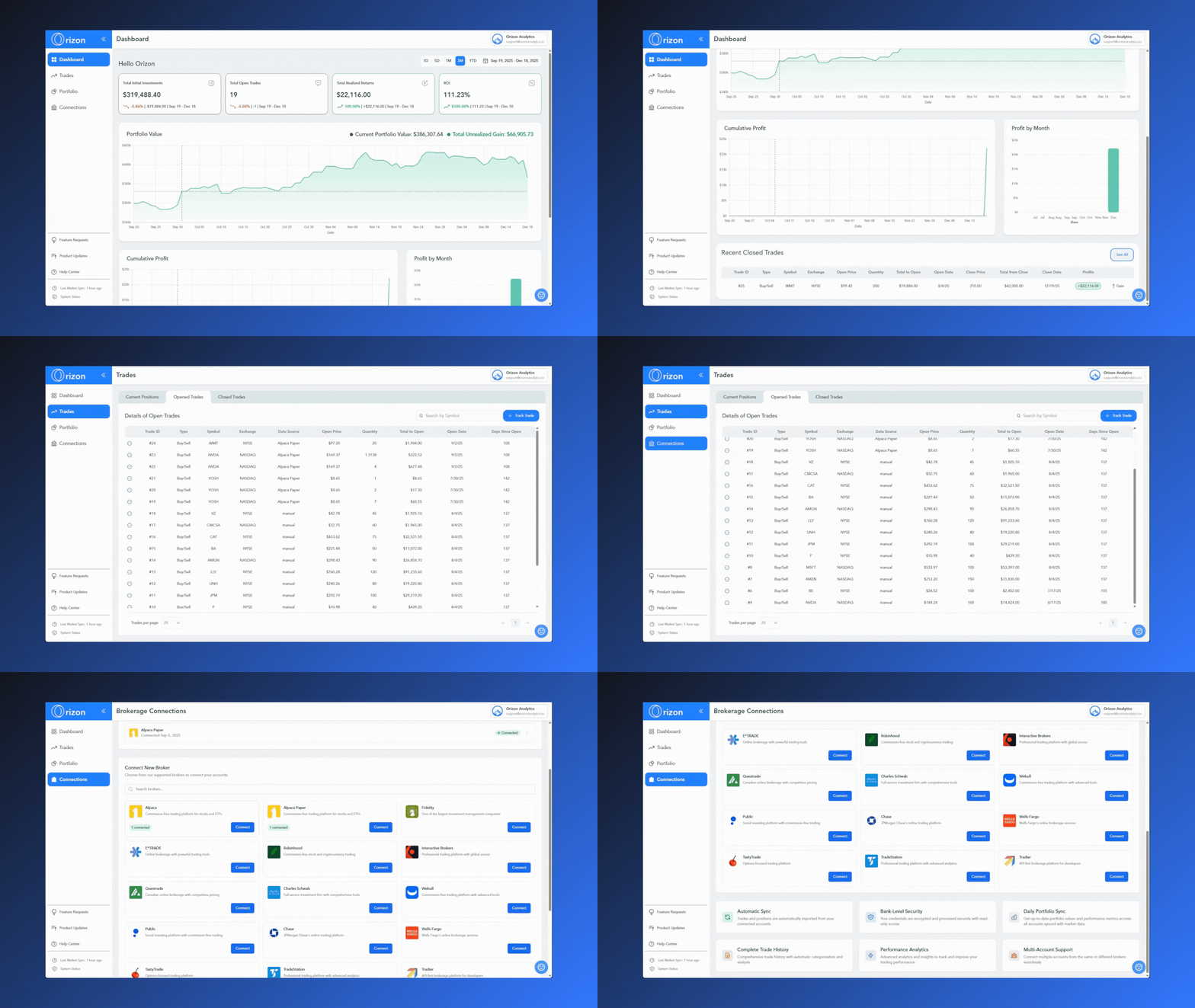
What: We’ve resolved issues preventing certain brokerages from establishing a stable connection via SnapTrade. Additionally, we enhanced the user feedback and status updates provided during the connection workflow.

Why: This update ensures a higher success rate when linking your accounts and eliminates guesswork. By providing clearer guidance during the setup process, you’ll know exactly where you are in the connection sequence, leading to a more transparent and frustration-free onboarding experience.


Navigation & Layout Fixes

What: We fixed a persistent UI bug across multiple pages that caused "double scrollbars" to appear during navigation.

Why: This fix cleans up the interface and ensures that scrolling is smooth and intuitive. By removing these layout inconsistencies, you solely focus on your data without visual distractions.


General Disclosures for Product Updates

This Release Updates page is an advertisement of Orizon Analytics, LLC (Orizon), an SEC-registered investment adviser.

1. Nature of the Service: Orizon provides non-discretionary portfolio analytics and investment recommendations. We do not provide financial planning, tax advice, or discretionary management. All investments carry risks, including the potential loss of principal.

2. Beta Limitations: The Early Access Beta version of the platform and any related features discussed here are under development and may contain bugs, errors, or significant limitations. Features listed on this page are subject to change, delay, or cancellation without notice. You should not rely on the performance or availability of any Beta feature when making investment decisions.

3. General Disclaimer: The information provided here is not intended to be personalized investment advice. Any discussion of potential benefits from using our features must be weighed against the material risks of investing in securities. For full details on our services, fees, and conflicts of interest, please consult our Form ADV Part 2A Brochure and Form CRS available on our website.

November 17th, 2025

New

Improved

Fixed

Dividend Tools & Account Sync Performance

We've deployed significant updates to enhance your dividend analysis tools and ensure your portfolio data is accurate from the moment you record a new trade.


New Interactive Dividend Calendar

What: We've introduced a powerful Interactive Dividend Payment Calendar in the Portfolio section (under the Dividend Income tab). This calendar displays a comprehensive historical and estimated schedule of your dividend income.

  • Visualization: It clearly marks the amount with Earned, Announced, and Forecast dividends.

  • Detailed View: Clicking any specific date opens a modal showing a detailed, sorted list of all dividend events for that day, including the total amount.

  • Navigation: You can easily navigate month-to-month or jump to a specific month/year, restricted dynamically from your earliest earned dividend up to December of the next year.

Why: This feature provides the easiest way to visually track your daily dividend income schedule, giving you an immediate and accurate overview for cash flow planning.


Bug Fix🐞

Sync Update on Trades Data

What: We've implemented an update on the API price fetching process when any new trade is recorded (both manual and brokerage-synced).

Why: Previously, new trades sometimes displayed inaccurate initial profit/loss because they relied on the previous day's market sync price. Now, when a trade is added, the system pulls the most current price (or uses the executed trade price for brokerage transactions) to calculate the Current Value and Unrealized Gain. This ensures the data in your Current Positions table is accurate from when the trade is initiated.


General Disclosures for Product Updates

This Release Updates page is an advertisement of Orizon Analytics, LLC (Orizon), an SEC-registered investment adviser.

1. Nature of the Service: Orizon provides non-discretionary portfolio analytics and investment recommendations. We do not provide financial planning, tax advice, or discretionary management. All investments carry risks, including the potential loss of principal.

2. Beta Limitations: The Early Access Beta version of the platform and any related features discussed here are under development and may contain bugs, errors, or significant limitations. Features listed on this page are subject to change, delay, or cancellation without notice. You should not rely on the performance or availability of any Beta feature when making investment decisions.

3. General Disclaimer: The information provided here is not intended to be personalized investment advice. Any discussion of potential benefits from using our features must be weighed against the material risks of investing in securities. For full details on our services, fees, and conflicts of interest, please consult our Form ADV Part 2A Brochure and Form CRS available on our website.

October 14th, 2025

Improved

Fixed

Performance and UI Improvements

We've rolled out several updates to enhance the speed, usability, and visual consistency across the platform, particularly on the Trades page.


Faster Loading for Trade Tables

What: We've optimized the loading of the Current Positions, Opened Trades, and Closed Trades tabs on the Trades page.

Why: This significantly improves the page performance. Your tables will load much faster, giving you quicker access to your trade history and current positions, even if you have a large number of transactions.

Improved Table Alignment

What: We've updated the alignment for all currency columns across the entire Trades page.

Why: Currency values are now consistently right-aligned, making it easier to visually scan and compare the different financial values (like Cost, Value, and Gain/Loss) across all your holdings.

Fixed Sector Distribution Graph

What: We've fixed a bug in the Sector Distribution Graph.

Why: The percentage labels are now correctly aligned with their corresponding bars upon loading, ensuring the graph is accurate and easy to read from the moment it appears on your screen.

September 9th, 2025

New

We're thrilled to announce a major upgrade to how you get your data into Orizon Analytics.

Connecting Your Brokerage

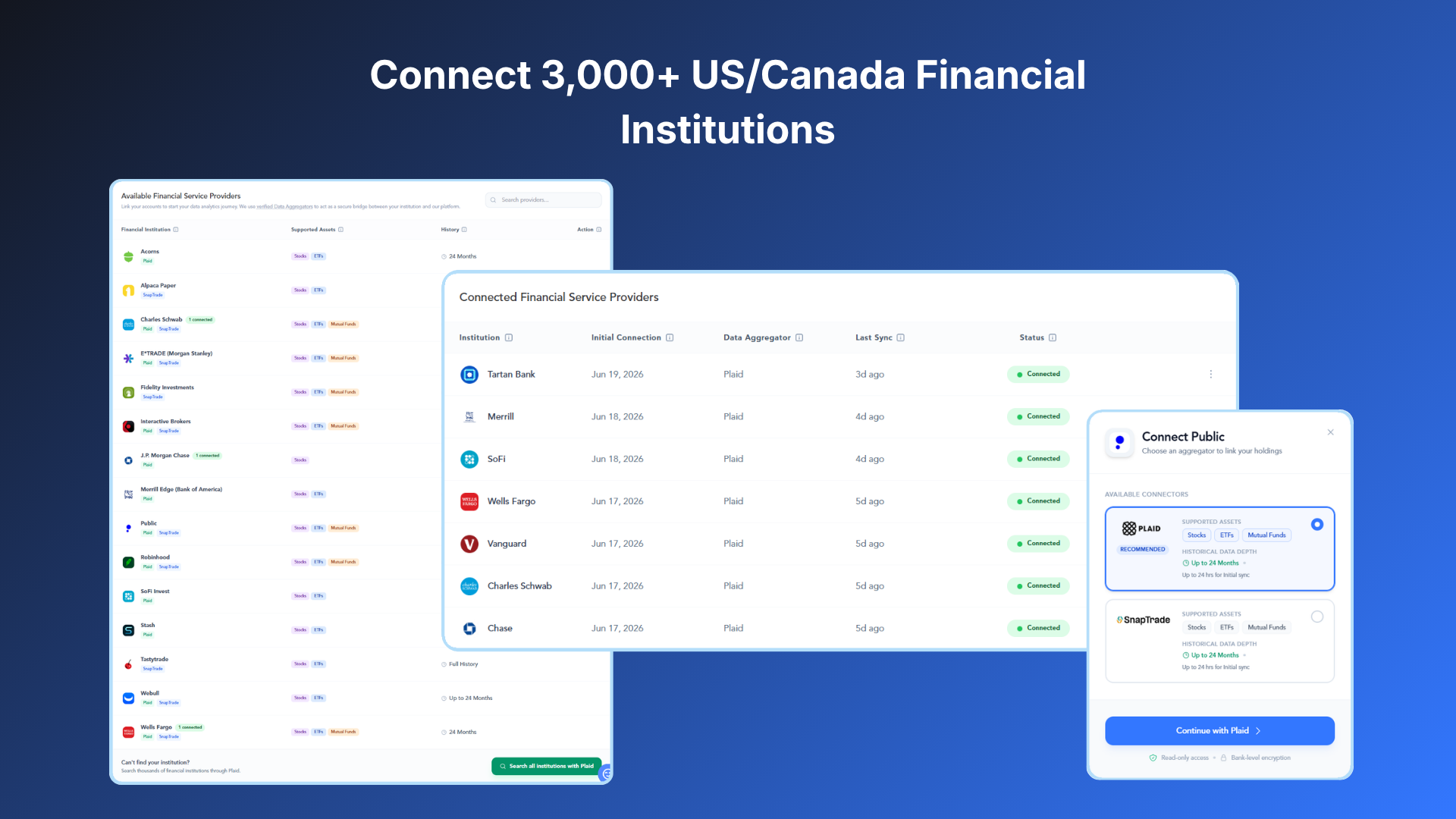
What: We've made it easier than ever to bring your portfolio data into Orizon Analytics by integrating with SnapTrade. You can now securely connect your brokerage account directly from the app, eliminating the need for manual data entry.

Why: This new feature simplifies your portfolio tracking and ensures your data is always accurate and up-to-date. By securely linking your brokerage account, you can instantly start analyzing your diversification, risk, and performance to make more informed decisions about your investments.

August 29th, 2025

New

Dive deeper into your dividend strategy! We've launched a brand-new Dividend Income tab on the Portfolio page. It features powerful new tools designed to provide you with a clearer view of your dividend earnings and future income estimates.

Total Earned Dividend Income

What: This new graph provides a clear and intuitive view of your historical dividend earnings. It displays the total sum of all dividends you have earned to date and breaks down your income month-by-month. The graph is horizontally scrollable, allowing you to easily view your entire dividend history.

Why: You can now instantly see how much total dividend income you've earned and visualize the growth of your earnings over time.


New Dividend Summary Cards

What: We've introduced four new dividend cards to help you analyze your dividend income:

  • Trailing Twelve Months (TTM) Dividend Growth Rate: A card that provides a dynamic, real-time percentage comparison of your dividend income over the most recent 12-month period versus the prior 12-month period.

  • Total Estimated Income: A card that shows the combined sum of all your announced and forecast dividend income for a selected future date range.

  • Announced Income: A card that displays the total of your officially declared dividend income for a selected future period.

  • Forecast Income: A card that shows the total of your estimated future dividend income.

Why: These new tools provide valuable insights into your dividend performance and help you easily track confirmed payments, anticipate potential earnings, and assess the growth momentum of your income stream.

Estimated Dividend Income Date Range Selector

What: We've added a new date range selector to the dashboard, which allows you to filter and view your estimated, announced, and forecasted dividend income for upcoming periods. It includes predefined options like 1M, 2M, 3M, and 6M, as well as a custom range selector that only allows you to select future dates.

Why: This new tool gives you the flexibility to easily analyze your dividend projections for specific timeframes, helping you to plan for future cash flow with greater precision.


Estimated Monthly Income

What: This is a dynamic chart that shows you a month-by-month breakdown of your future dividend cash flow. Each bar is separated into "Announced" dividends (officially declared income) and "Forecast" dividends (estimated income). The graph starts with the next calendar month and extends to the following year, automatically updating as time passes.

Why: You can now easily visualize your estimated future cash flow, allowing you to plan ahead with confidence. The stacked view helps you differentiate between confirmed and projected earnings at a glance.


Detailed Dividend Schedule

What: This new, Detailed Dividends Schedule table is a comprehensive tool for tracking and planning your dividend income. It is split into two sections:

  • The Left Side provides a summary of each dividend-paying stock, including its status (Announced or Forecast), frequency, and key dates. This section remains frozen as you scroll.

  • The Right Side is a horizontally scrollable schedule of your monthly dividend payments. It shows the total monthly dividend from all your stocks and color-codes each individual payment to indicate if it is Earned, Announced, or Forecasted.

Why: This powerful table provides a complete view of your dividend-paying holdings in one place, from summary details to a detailed, interactive timeline of your payments. You can effortlessly track the status of upcoming dividends and analyze your income stream.

August 27th, 2025

New

Improved

We've enhanced the way you view and manage your positions and trades with a new, streamlined approach to our trade tables. These updates provide clearer insights and better control over your positions.

New Tables for All Your Trades

What: We've replaced the old "Trades" table with three distinct views, each designed for a specific purpose. You can find them all on the dedicated Trades page:

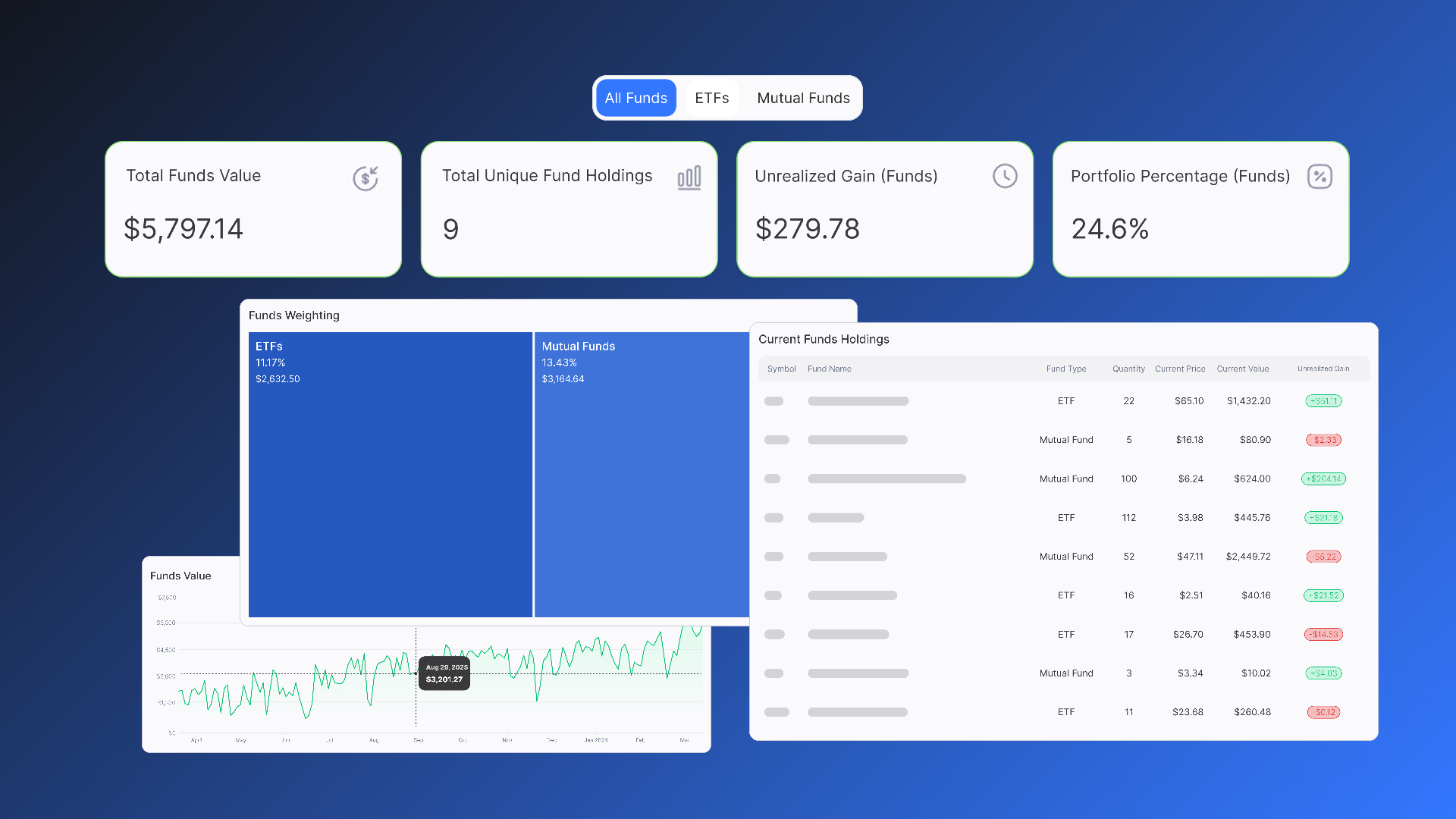
  • Current Positions: This table consolidates all your long and short positions for a single security into a single line item. Instead of seeing every individual transaction, you get a clean, summarized view of your total exposure to each stock, including Total Quantity, Current Value, and Unrealized Gain.

  • Opened Trades: This table lists every individual open trade transaction on its own line. It’s designed to give you a detailed look at all your active positions, including the Data Source (brokerage or manual) and the number of Days Since Open.

  • Closed Trades: This table provides a complete history of all your closed transactions. Each closed trade is listed on a separate line with key metrics like Realized Gain, Days Open, and the Total from Close, allowing you to analyze your past performance.

Why: This new structure provides a more intuitive and powerful way to track and manage all of your trades. You can now easily switch between a high-level portfolio overview and a detailed view of every individual transaction.


Simplified Trade Management

What: We've made two key improvements to simplify how you manage your trades:

  • Color-Coded Gains: In both the Current Positions and Closed Trades tables, unrealized and realized gains are now color-coded (green for positive, red for negative, and grey for zero) for instant visual feedback.

  • Clearer Control: For manually entered trades, you now have the ability to manage your positions by clicking the horizontal ellipses (...) icon. This feature is not available for brokerage-synced trades, as that data is automatically pulled from your account.

Why: These changes give you at-a-glance insights into your performance and provide you with clear control over your manually entered data, without compromising the integrity of your brokerage-synced records.


Enhancements ⬆️

Website & Data Protection

What: We've integrated a new consent management platform called Cookiebot on our website.

Why: This deployment gives you more control over your data. It ensures we handle website cookies and online tracking with the highest standards of data protection, providing you with a transparent and secure browsing experience.

Enhanced System Monitoring

What: We've implemented BetterStack to improve our system's observability and monitoring. You can now access our system status page directly from the application's main menu.

Why: This update ensures transparency and gives you a direct way to check the real-time status of our services. If there are any planned maintenance or unexpected issues, you can quickly verify if they might be affecting your app’s performance.

Market Data Sync Indicator

What: You will now see a Market Sync Indicator in the application. This indicator shows you the exact time that has passed since our last market data synchronization.

Why: This gives you a quick and clear understanding of the freshness of your portfolio data. You can be confident that you're always viewing the most up-to-date market information available.

July 16th, 2025

New

Improved

We're thrilled to introduce a suite of powerful new tools on the Portfolio page, under the Allocation tab, designed to give you an even deeper understanding of your investment diversification.

Portfolio Allocation: Sector Distribution

What: This new visual tool displays the current market value and percentage allocation of your portfolio across 11 distinct market sectors and an "Others" category. Each bar dynamically updates as your holdings and market values change.

Why: This provides you with a quick, at-a-glance overview of how your capital is distributed across major sectors. It's a powerful way to immediately assess your broad diversification and identify potential concentrations.


Portfolio Allocation: Sector & Industry Group Hierarchy

What: A dynamic visualization offering two levels of detail:

  • The default Sector Level shows "boxes" sized by your percentage ownership, including the current value and benchmark comparisons.

  • You can then drill down into the Industry Group Level by clicking on a sector to see the specific industry groups you own within that chosen sector.

Why: This interactive treemap allows you to visualize your diversification with both broad and granular perspectives. You can quickly spot significant allocations and dive into the specifics, helping you understand where your investments truly lie within the market structure.


Portfolio Allocation: Detailed Holdings Table

What: This is a detailed, hierarchical table displaying all your individual stocks, expertly categorized by Sector and Industry Group. It includes columns for quantity, current value, percentage of your total portfolio, and allows you to expand and collapse categories for customized detail.

Why: For those who prefer a numerical breakdown, this table offers ultimate control. You can explore your portfolio's composition at any level of detail, from a high-level sector view down to individual stock holdings, ensuring complete transparency and precise analysis.


Enhancements ⬆️

Profile View Enhancements

What: We've removed the Data Protection, Privacy Policy, and Terms of Service pages from your profile view to streamline your navigation.

Why: These important legal and informational pages are still easily accessible in the footer of our website. By removing them from the immediate profile view, we've created a cleaner, less cluttered experience, making it easier for you to manage your core account and application settings.


Unrounded Profit Calculations

What: We've updated the formatting of the Cumulative Profit and Profit by Month graphs to no longer round values. You'll now see the precise figures for your profits and losses.

Why: Precision matters when it comes to your financial data. By displaying unrounded values, we're providing you with the exact profitability of your trades, enabling more accurate analysis and a clearer understanding of your performance.


Date Range Selector Update

What: We've added a "3M" (Last 3 Months) option to the Date Range Selector and removed the "All" option.

Why: We've optimized the common date range selections. The "3M" option provides a popular short-term view, while removing "All" helps us ensure optimal performance for your dashboard by focusing on more frequently used periods.

June 12th, 2025

Improved

Fixed

We're constantly working to refine your experience and ensure the data you see is as accurate and helpful as possible. Here's what's new in our latest update:

Enhanced User Profile Card

What: Your User Profile card at the top right of the screen now features your profile image.

Why: We believe a personalized experience is a better experience. Adding your profile image makes your account feel more tailored and immediately recognizable, enhancing your overall sense of connection to the application.

Streamlined Support & Interface

What: We've removed the standalone Survey button and fixed the Help link to ensure it directs you to the correct resources.

Why: We're always refining our interface for clarity and ease of use. Removing certain elements, such as the Survey button, and ensuring the Help link functions properly means a cleaner, more intuitive navigation experience

for you when seeking assistance or information.

Improved Data Accuracy

What: We've made some behind-the-scenes adjustments to how certain financial figures are calculated in the app.

Why: To ensure your financial data, including Total Realized Returns, ROI (Return on Investment), and Total Investment values, is always accurate and reliable for your decision-making.

Dashboard Graph Time Zone Fix

What: We've resolved an issue that could cause your dashboard graphs to display data out of sync with your local time.

Why: So your dashboard graphs correctly align with your local time zone, providing precise and understandable daily data no matter where you are.

Corrected Trade ID Sequencing

What: We've implemented a refinement to how new accounts generate their initial trade identifiers.

Why: This ensures Trade IDs for new users start correctly at 1 and follow a logical, increasing sequence, providing a clear and organized foundation for your trading history.

June 5th, 2025

New

Improved

We've given our dashboard a significant upgrade to bring even more powerful analytics right to your fingertips!

Enhanced Summary Cards

What: We've updated our main summary cards to provide you with a clearer, more immediate overview of your trading activity. You'll now see:

  • Total Investment: The total money you've put into your long-position trades within your selected date range.

  • Total Open Trades: The current count of your active, open trades within your selected date range.

  • Total Realized Returns: The sum of all profits from trades you've closed within your selected date range.

  • ROI (Return on Investment): The percentage return on your capital for trades closed within your selected date range.

Why: These enhancements give you a quick, at-a-glance understanding of your capital deployment, active positions, profitability, and the efficiency of your closed trades. It's about empowering you with immediate, digestible insights into your overall performance.

Live Open Trades Value Graph

What: We've introduced a brand-new Open Trades Value graph directly on your dashboard. This interactive graph is connected to live market data, showing you the fluctuating value of your open positions over time.

Why: This feature provides unparalleled transparency into your current market exposure. You can instantly visualize how your open trades are performing, helping you make more informed decisions about managing your active positions. It's about giving you a dynamic, visual representation of your portfolio's real-time movements.


New: Cumulative Profit and Profit by Month Graphs

What: We've introduced two powerful new visual tools to your dashboard: the Cumulative Profit graph and the Profit by Month graph.

  • The Cumulative Profit graph dynamically tracks your total realized profits (or losses) over time, with the area filled in green for gains and red for losses.

  • The Profit by Month graph provides a bar chart breakdown of your Total Realized Returns for each of the last six months, clearly showing profitable months in green and unprofitable ones in red.

Why: These additions give you unprecedented insight into your long-term and recent trading performance. You can now easily visualize how your profits accumulate over time and pinpoint exactly which months have been most impactful to your bottom line. It's about providing you with clear, actionable visuals to better understand your trading journey.